Reports
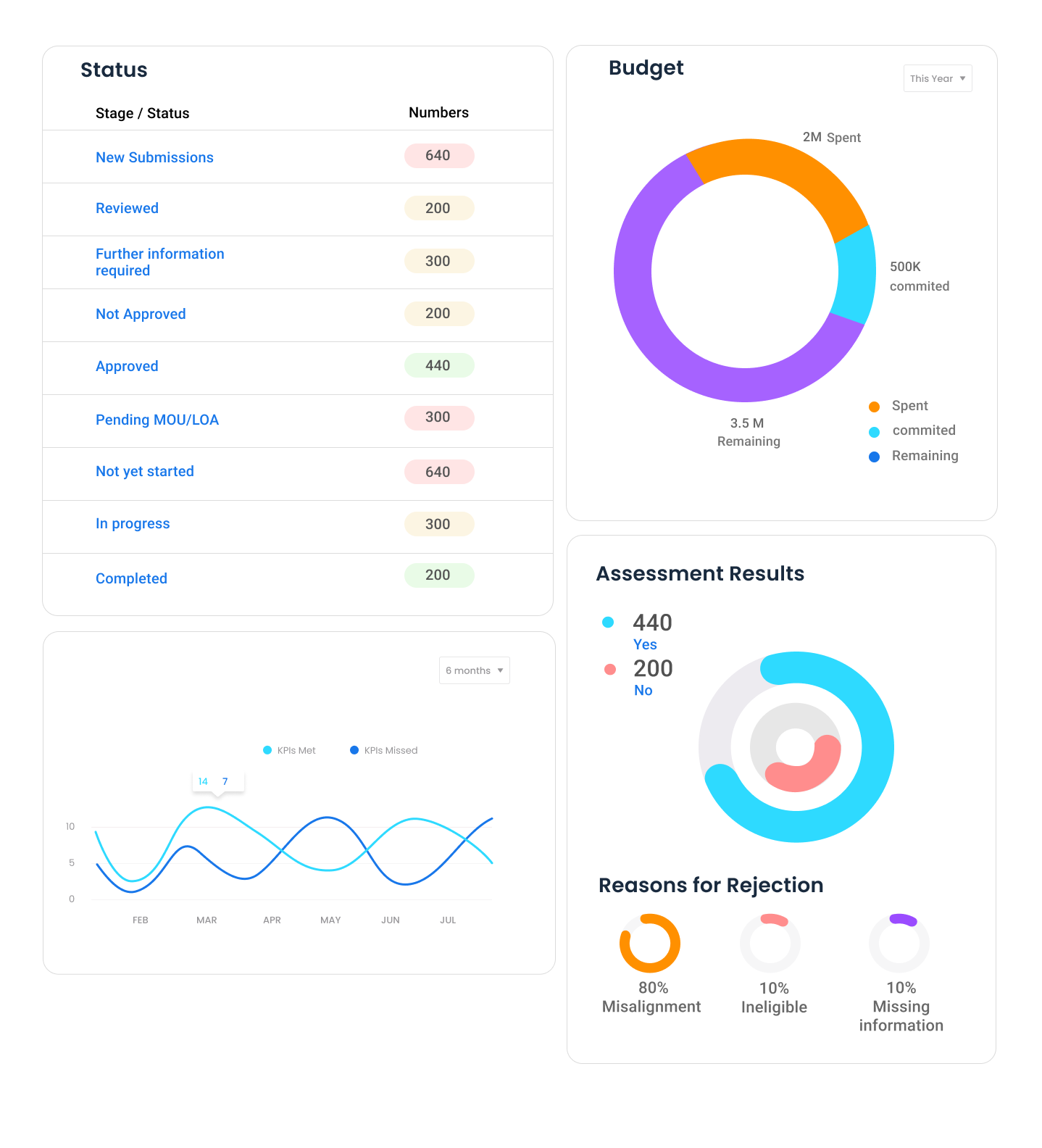
The Reports section provides an overview of Application Statuses or Stages, Budget Distribution, Assessment Results as well as Dynamic Reports. By default, this section displays reports for all grants. We can filter by a specific grant as well using the Filter grants.. dropdown at the top right.
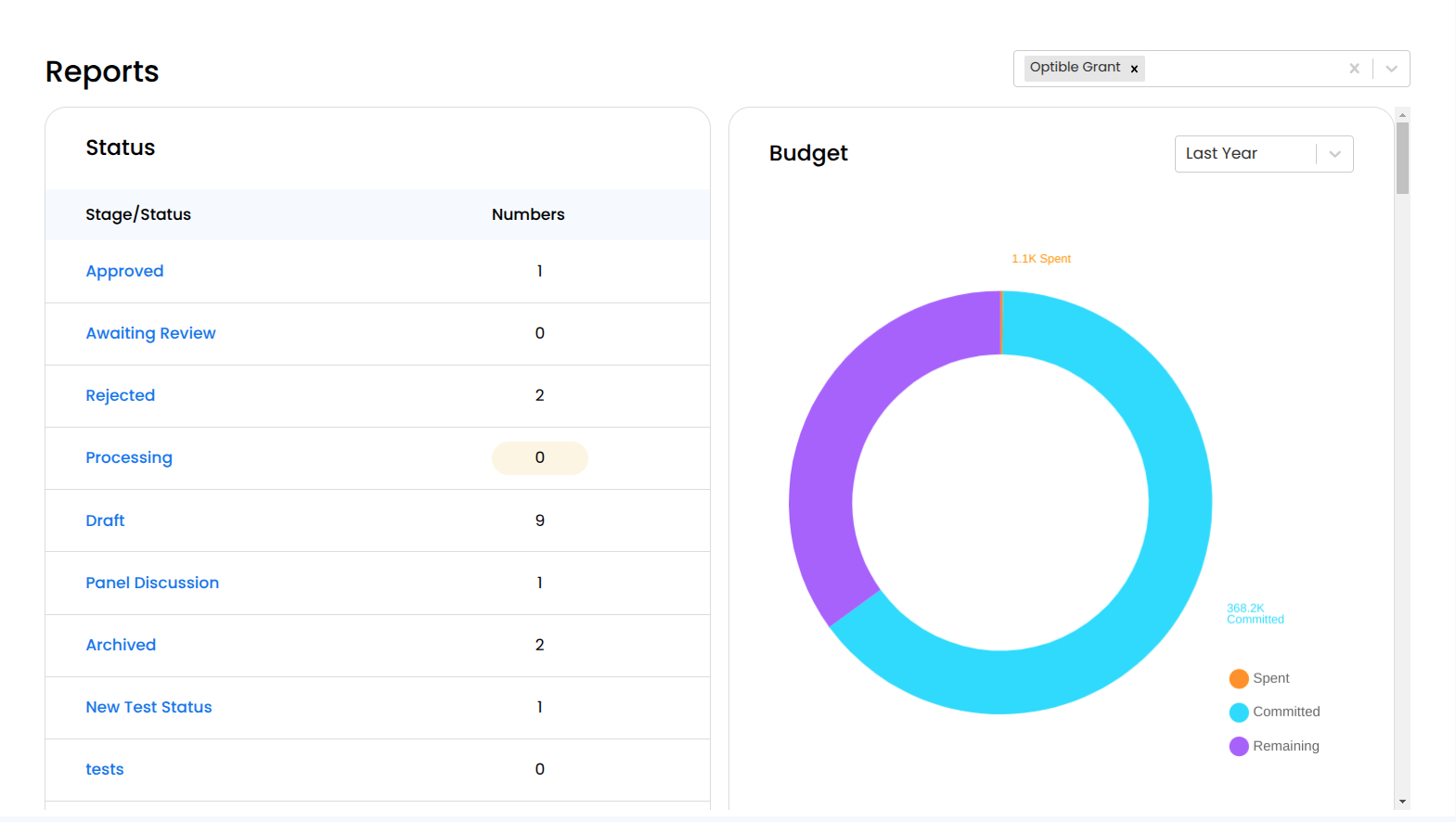
Filtered Reports Page by Grant Name:
Status Panel
This Status table displays different stages of applications along with the corresponding count of applications in each stage.
Budget Panel
Provides a visual breakdown of grant spending in the form of a donut chart.
Categorizes financial data into three key segments:
Spent : Funds that have already been used.
Committed : Funds that have been allocated but not yet spent.
Remaining : Budget that has not been allocated or spent.
Allows to view financial data across different years. We can select a Last Year dropdown that enables users to change the time frame for the budget report. When a user selects a timeframe, the budget visualization (donut chart) updates accordingly, helping to track spending patterns and financial performance across different periods.
Assessment Results Panel
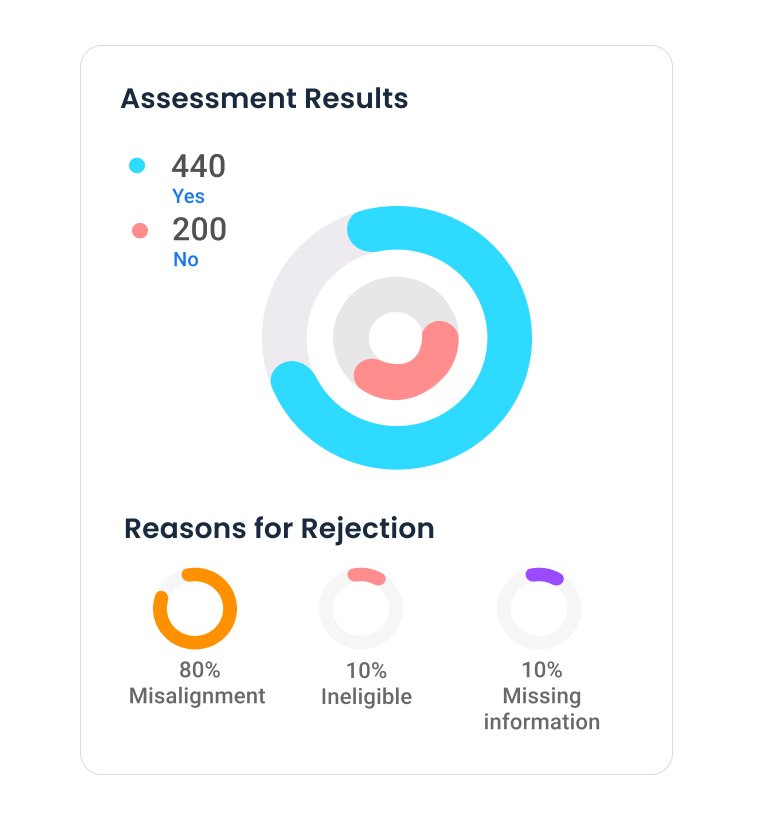
This section presents a visual summary of assessment results, helping users quickly understand the approval and rejection rates of applications.
As by default, this shows the accepted and rejection rates for all applications of grants within an organization. And after filtering, it would show the accepted and rejection rates for applications of a specific grant.
Gives insights into why applications are being rejected.
Dynamic Report
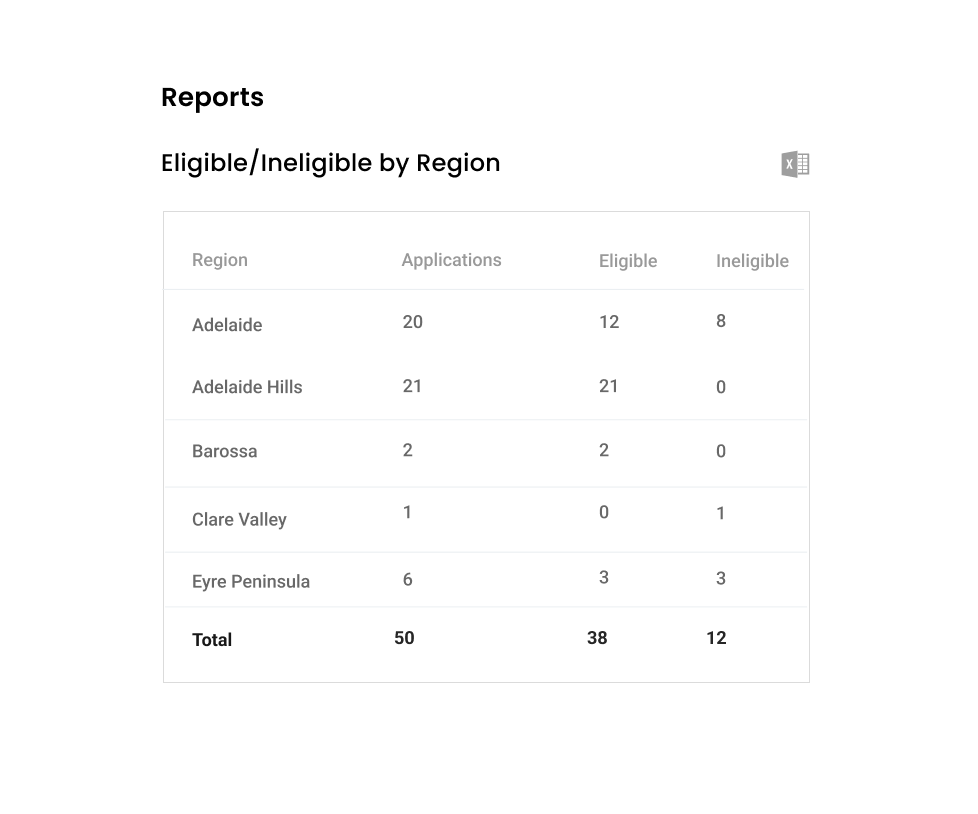
This is a dynamic report that allows to view reports based on selected data preferences. The report is customizable and in the below case, the report is showing how many of the applications which are eligible and ineligible by regions.
There is an icon on the right side where users can use it to export the displayed report as a CSV file.