Assessors
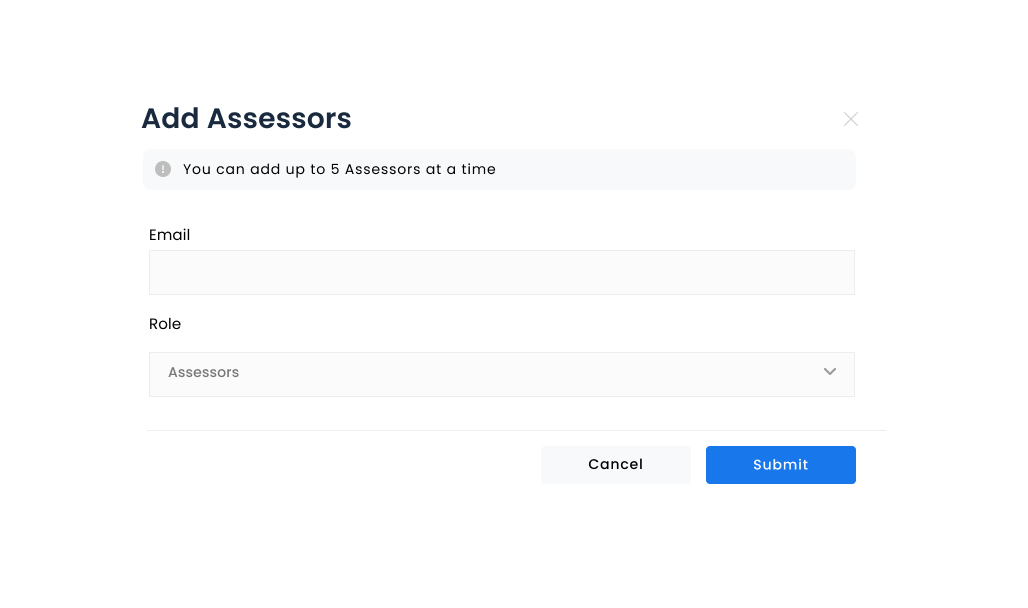
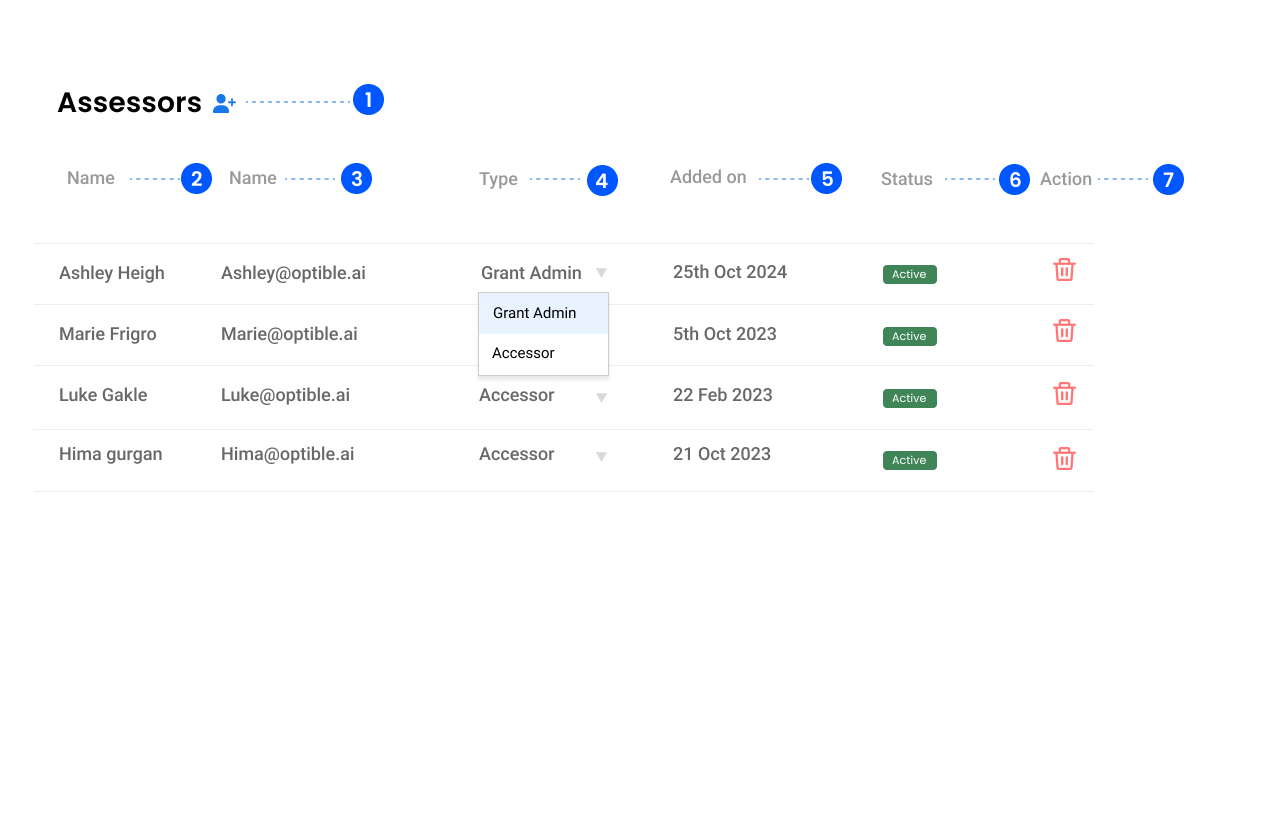
1. Add Assessors
- Allows to add assessors to the specific grant.
- Clicking on the add icon opens a new page where we can add assessors.
Email Address: Allows to add an email address of whom we want to add as an assessor.
Role: Allows to add a role. There's a dropdown menu with the following options: - Assessor - Grant Admin
2. Name
- Displays the name of the assessor or grant admin.
3. Email
- Displays the email of the corresponding assessor or grant admin.
4. Type
- Defines the role of the user.
- Assessor: Displays the user as an assessor of the particular grant.
- Grant Admin: Displays the user as a grant admin of the particular grant.
5. Status
- Displays the current status of the user.
6. Added on
- Displays the date when the user was added to the grant.
7. Action
- Provides a delete option (trash bin icon) to remove a user from the particular grant.