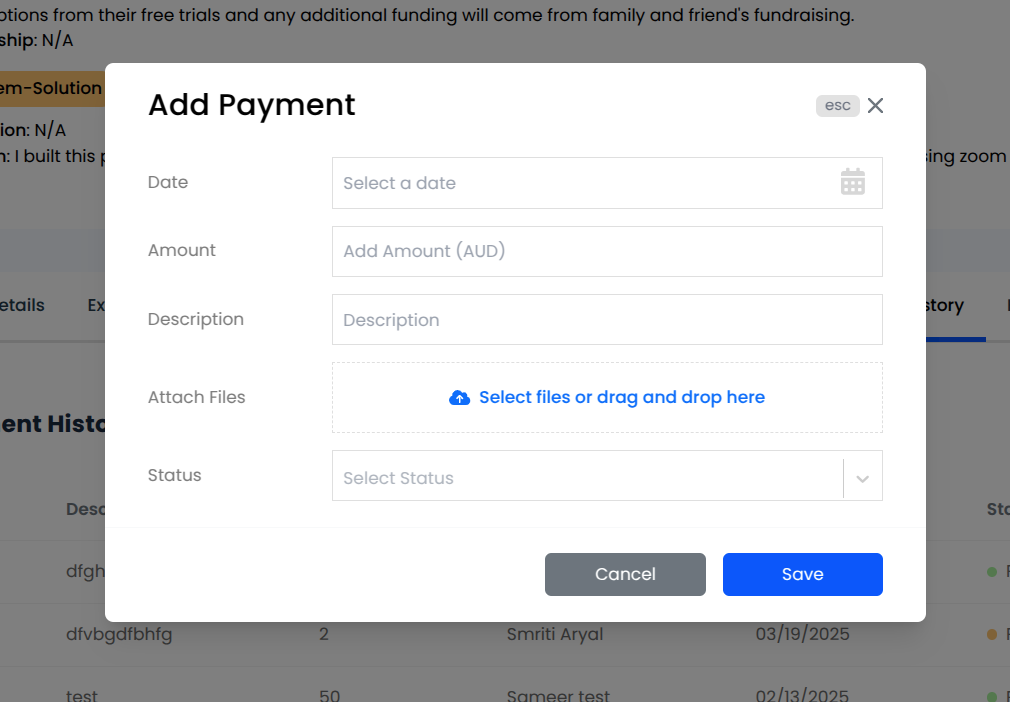
Clicking on the Add Payment button opens a new modal window where we can add a new payment record.
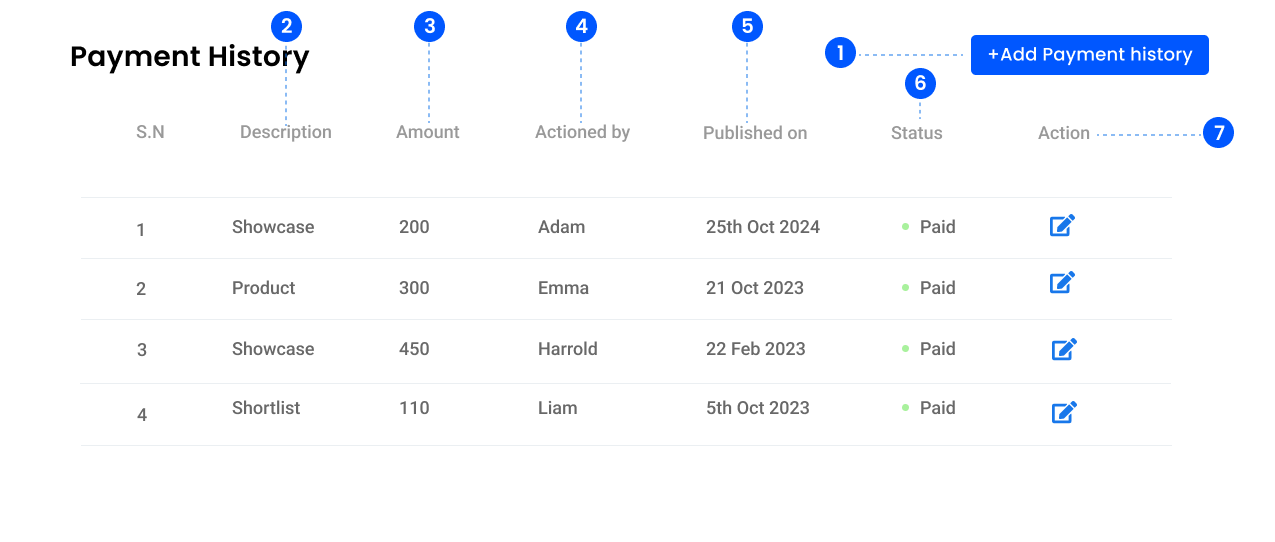
2. Description
Displays the description of the payment.
3. Amount
Displays the amount associated with each payment.
4. Actioned by
Shows the name of the person who processed or added the payment.
5. Date
Displays the date when the payment was processed or added.
6. Status
Displays the status of the payment.
The status can be Approved, Rejected, Planned, Awaiting Approval, Inactive and so on.
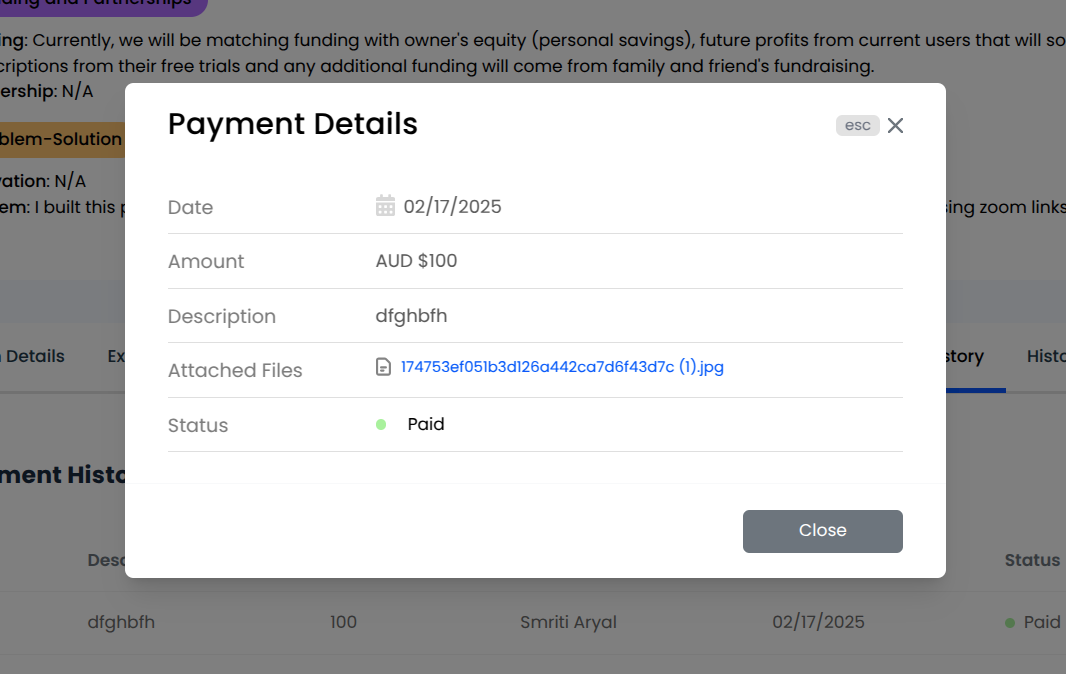
Upon clicking it, a read only modal appears where we can view the details of the payment. The detail also includes the Attached Files section where we can view the files attached to the payment. Those files are not shown in the payment table.
7. Action
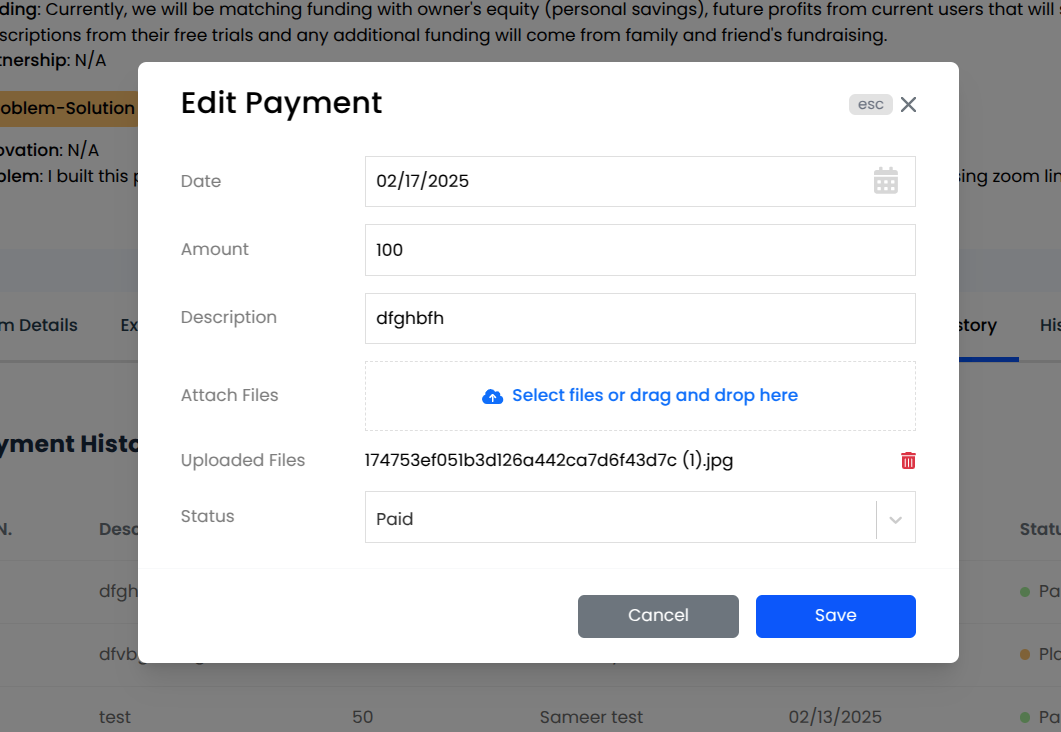
Displays an edit icon, which upon clicking would open a modal which allows to edit and modify the payment details.
We can modify the date, amount, description, status and add some attachments as well which are associated with the payment.