
Smart Insights
In this article
In this article group
- Summary - Header
- Criteria Ranking
- Attachments
- Expenditures
- History and Comments
- Payments
- Post-Success Report
- Document Validation
- Reading Scanned PDFs (Text Recognition)
- Web Research and Source Citations
- Seeing Who Else Is on an Application
- Seeing the Evidence Behind an Optible Score
- Translate an application into your language
- Screening Board Members Against Sanctions Lists
- Post-Award Review
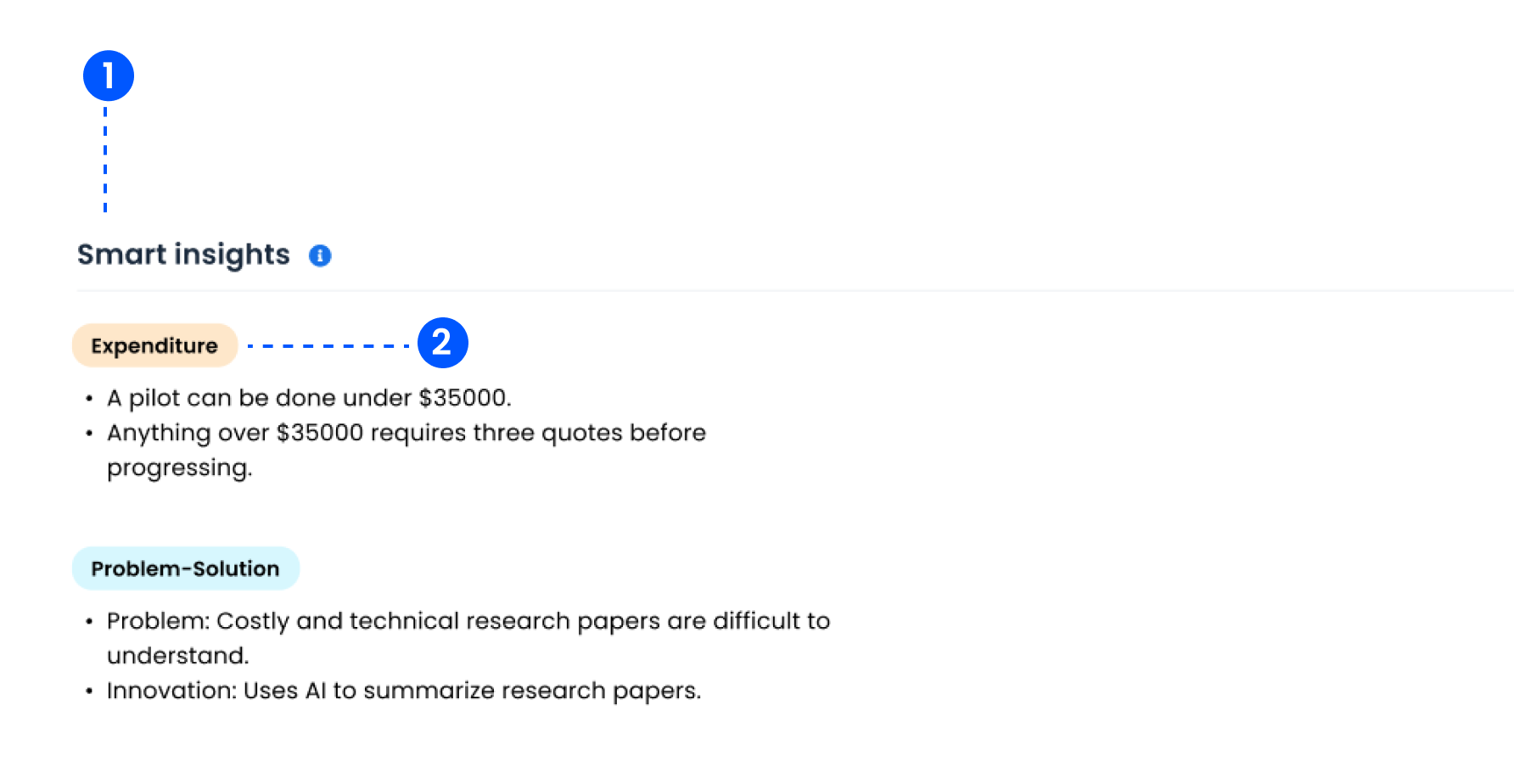
The Smart Insights section provides tailored, application-specific information to guide decision-making.
Categories are set per grant
There is no fixed list of insight categories. Each grant defines its own, so what you see here depends on how your programme was set up. Categories you might configure include:
Expenditure — budget considerations, approval thresholds, and how the applicant proposes to allocate resources.
Problem and solution — the challenge the applicant describes and what they propose to do about it.
Risk — anything in the application worth a second look before funding.
Those are examples, not defaults. Each category has a name and a description telling Optible what to look for, and they appear in the order you configure. Talk to your grant administrator to add, reword or reorder them.
How they are produced
Insights are written fresh for each application from the applicant's own answers, and from their documents where the grant is set up to include them. They are a summary to orient you, not a score, and they do not feed into the ranking.