
Seeing the Evidence Behind an Optible Score
In this article
In this article group
- Summary - Header
- Smart Insights
- Criteria Ranking
- Attachments
- Expenditures
- History and Comments
- Payments
- Post-Success Report
- Document Validation
- Reading Scanned PDFs (Text Recognition)
- Web Research and Source Citations
- Seeing Who Else Is on an Application
- Translate an application into your language
- Screening Board Members Against Sanctions Lists
- Post-Award Review
The score tells you what Optible decided. The source badge tells you what it read to get there.
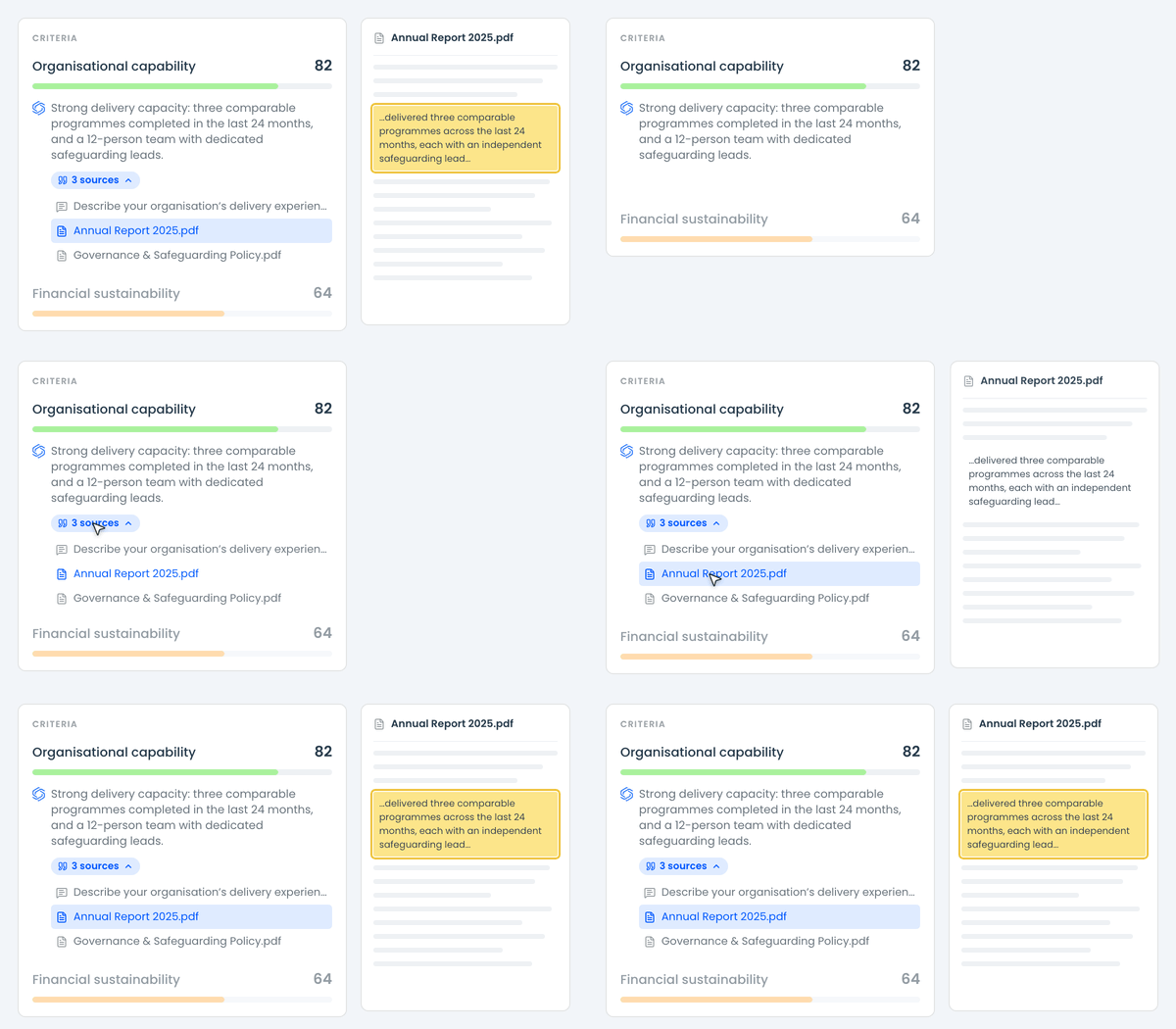
Finding the evidence
On the assessment view, each criteria group shows Optible's reasoning with a small badge underneath carrying a count of sources. Hover it to list the passages. Click one to go straight to it, or click the badge itself to open the first, which is usually all you need.
Selecting a source scrolls the answers panel to that answer and highlights the exact words quoted. You stay on the assessment the whole time. If the source is a document, the file opens instead.
Why you would bother
When your score and Optible's disagree, there are two explanations, and until you look at the evidence they are indistinguishable.
Either Optible read the wrong thing, missing the relevant answer or leaning on an irrelevant one, in which case your criteria are fine. Or Optible read exactly what you read and reached a different conclusion, in which case the disagreement is about how the criterion is worded.
Those need opposite fixes. Checking the source turns a guess into a ten second look.
Unverified sources
After each assessment every source is checked against the record it points at. Anything that cannot be confirmed is still shown, marked unverified, rather than quietly dropped.
Nine times out of ten it means the answer or the document changed after the assessment ran, which is exactly the sort of thing you want to notice when you are reviewing a score. You can still open an unverified source to see what the passage became. It just will not highlight.
Not everything gets a source
If an application says nothing at all about a topic, the right answer is no with nothing cited. Forcing a citation there would only encourage Optible to reach for a loosely related passage instead.
So an assessment with no evidence behind it is not automatically suspect. A lot of them on the same application might be worth raising with your Optible contact.
If the badges are missing
Statuses can be set to hide the Optible score from assessors. On those statuses the reasoning and its source badges go too, since they belong to the score. Admins and analysts still see everything.
The one exception is eligibility. Eligibility checks keep Optible's score, reasoning and source badges even on a status that hides the Optible score, so you can still see why an application passed or failed a gate.
So if the badges vanish unexpectedly, check what status the application is sitting in before you report a fault.